Dye Sublimation Transfers · Coatesville, PA
Custom dye sublimation transfers, ready to press, priced online.
Full-color, photo-real custom sublimation transfers for white polyester and poly-coated blanks — mugs, tumblers, tees, tags and panels. Upload your PNG or JPG, choose a finished size and quantity, and see your price instantly. Printed in 3 business days, shipped for a flat $8.95.
- Instant
- price online
- 3 days
- production
- $15
- minimum per design
- $8.95
- flat shipping
Want us to press it for you? Our in-house sublimation service
Watch a real shop press our transfers
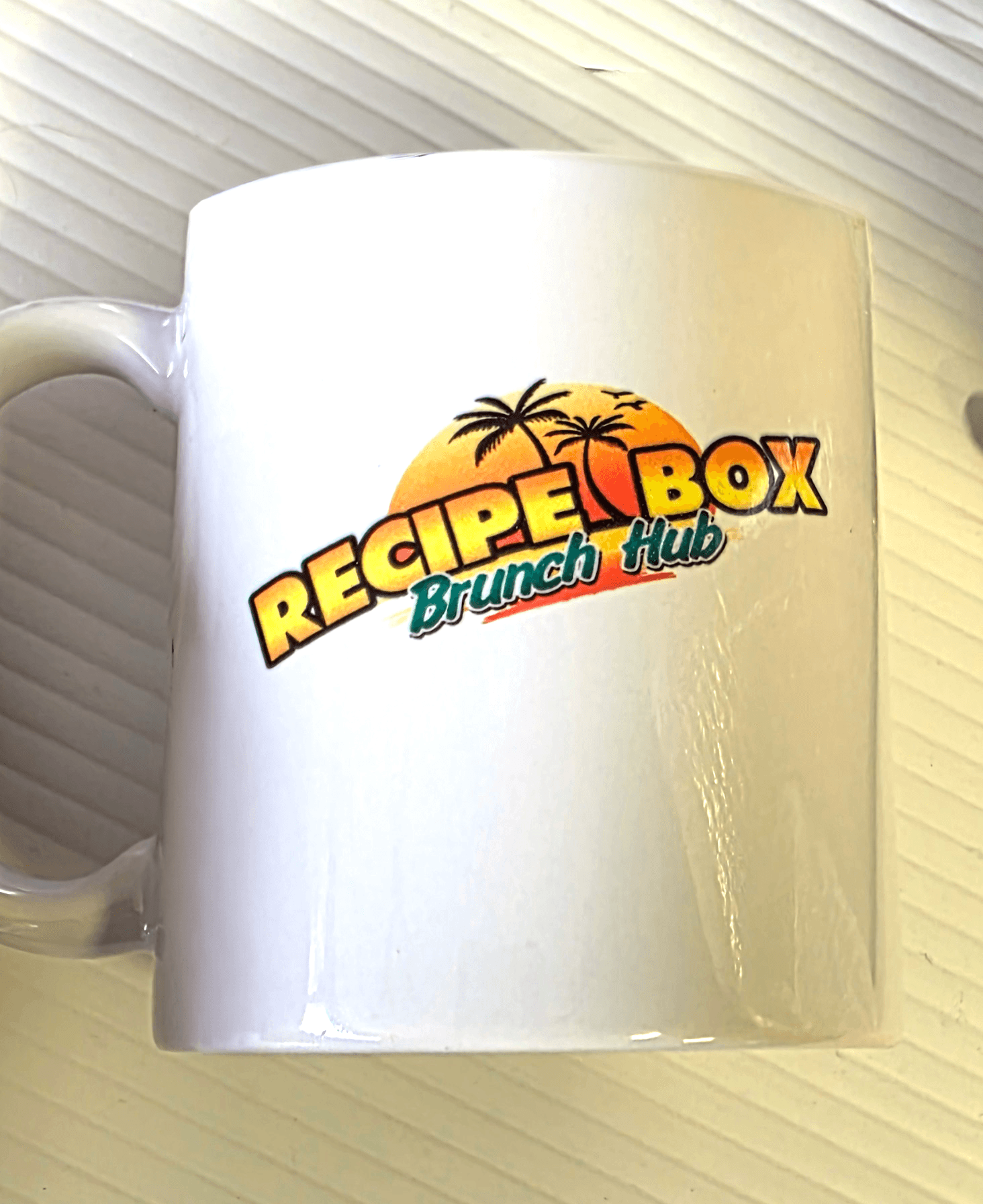
Sonscreens Screenprinting & Design has been decorating for West Michigan since 1998, and they're a repeat customer for our dye sublimation transfers. For their client Recipe Box Brunch Hub, they pressed our transfers onto white latte mugs in their own shop.
Watch Ryan from Sonscreens peel the paper off a freshly pressed mug — that full-color logo is now part of the mug's coating.
“Look at the color on this — it looks so good,” Ryan says as the paper comes off. Their customer wanted the logo on both sides of the mug, and he was very happy with how close the placement came.
In West Michigan and want mugs or apparel done for you? Sonscreens in Holland, MI handles the whole job.
See the Sonscreens × Recipe Box project, with the time-lapse and photos →
Ryan from Sonscreens peels a Print Habit sublimation transfer off a freshly pressed Recipe Box Brunch Hub mug.
What are dye sublimation transfers?
Ready-to-press transfers that become part of the surface
A dye sublimation transfer is a full-color design printed on special sublimation paper. When you press it with heat, the ink turns to gas and bonds into the surface of a white polyester fabric or poly-coated blank — so the color becomes part of the item instead of sitting on top. The result is smooth, permanent, and won’t crack, peel, or fade.
Order your transfers and press them onto your own compatible blanks — or, if you’d rather skip the heat press, have us sublimate finished products for you through our in-house sublimation service.
What you can press onto
- White polyester tees, socks & apparel
- Mugs, tumblers & drinkware
- Aluminum panels, awards & tags
- Ornaments, patches & mouse pads
Popular products
What people press our transfers onto
Any light-colored 100% polyester fabric or poly-coated surface takes a sublimation transfer beautifully.
Mugs & tumblers
11 oz and 15 oz poly-coated mugs, stainless tumblers, and drinkware — dishwasher-tough color.
White poly apparel
Sublimation tees, socks, and performance wear on white or light 100% polyester.
Aluminum panels & awards
Photo-on-metal panels, plaques, and slates in vivid, full-color detail.
Tags & patches
Custom hang tags, woven-look patches, and labels for your products.
Mouse pads
Full-bleed, edge-to-edge designs on poly-topped mouse pads.
Photo gifts & ornaments
Ornaments, coasters, and keepsakes — photo-real prints that last.
How it works
From your image to permanent color product
Sublimation skips the liquid stage entirely: heat turns the ink to gas, the polymer opens, and the color diffuses in and locks as it cools.
1 · Print
Your design is printed in reverse onto transfer paper using sublimation inks.
2 · Press
Printed sublimation paper meets the poly or treated surface and hits 365–400°F heat & pressure.
3 · Sublimate
The solid ink turns straight to gas — no liquid — and the polymer surface opens up.
4 · Bond & cool
Gas dyes the surface; as it cools the polymer closes, locking color permanently inside.
Why it lasts
Where the color actually sits — and why sublimation wins on poly & compatible substrates
A cross-section of the surface. Other methods add a layer on top; sublimation dyes the fibers themselves — so there's nothing to crack, peel, or wear off.
How it works
From your art to a permanent print
Order online in a few minutes, then press the transfers yourself on a compatible heat press or mug press — the pressing guide below has starting points for fabric and hard goods.
Upload your art
Upload a PNG or JPG — 300 DPI at your print size is ideal. We check the resolution and warn you if it may print soft, and you can still order.
Pick size and quantity
Choose the finished size, from 4″ up to 23.5″ × 60″, and up to 500 per size. Your price updates as you go.
We print in 3 business days
Your design is printed mirrored on sublimation transfer paper and ships for a flat $8.95.
You press it
Heat-press the transfer onto your white poly or poly-coated blank. The dye bonds into the surface — vivid color with zero hand feel.
Pricing
Priced by size and quantity
See your exact price before you order — it updates as you change the size and quantity, and the more transfers you order at one size, the less each one costs. Each design has a $15 minimum at each size you order, and an order of only transfers ships for a flat $8.95.
Production takes 3 business days. Sizes run from 4″ on the short side up to 23.5″ × 60″, in quantities up to 500 per size. Have a PDF or AI file? Send it with a quote request and we’ll take it from there.
What you’ll pay
- Priced by size and quantity
- Lower price per transfer at higher quantities
- $15 minimum per design and size
- Flat $8.95 transfer shipping
Order by size
Start with a size
Pick the longest side of your design. After you upload, we match the other side to your artwork’s proportions.
Pressing guide
How to press sublimation transfers
These are starting points, not fixed recipes. Heat presses, blanks and coatings vary, so follow your blank and press manufacturer's temperature, time and pressure first — and press one test item before you run a batch.
Sublimation works on white or light-colored polyester and polymer-coated blanks. It doesn't print white: white areas of your design show the color of the item, and a colored item changes the colors of the print.
Pressing checklist
- Transfers arrive mirrored — don't mirror them again
- Place the printed side against the item
- Keep transfers dry, clean and flat until you press
- Tape the transfer down with heat-resistant tape
- Use the blank and press maker's settings first
- Press one test item before a production run
- Keep heat and pressure even, with full contact
- Remove the paper carefully, as the blank or paper maker directs
Fabric / Apparel · Hard Goods
Starting points by what you’re pressing
Fabric / Apparel
How to sublimate a shirt
- Common starting point: 385–400°F (196–204°C) for 45–60 seconds at medium pressure. If your blank maker's settings differ, use theirs.
- Choose the right fabric. White or light 100% polyester or sublimation-ready fabric. Lower polyester content prints lighter; cotton won't hold the ink.
- Pre-press the garment. A few seconds of heat removes moisture and wrinkles. Lint-roll the print area.
- Protect and position. Slip protective paper inside the garment, place the transfer printed side down and tape it so it can't shift. Cover it with protective paper.
- Keep the pressure even. Keep seams, zippers, buttons and collars out from under the platen, or use a pressing pillow so the print area sits flat.
- Remove the paper carefully. Lift it off in one smooth motion, as your paper or blank maker directs, without letting it slide.
- Check your test piece. Scorching, yellowing or a color shift means lower the time or temperature; faded color means more heat, time or pressure.
Hard Goods
How to sublimate a mug in a mug press
- Common starting point: Around 360–400°F (182–204°C) for roughly 3–4 minutes, depending on the press, the mug and its coating. Follow the press and mug maker's settings first.
- A real example: Sonscreens' mug press read 385°F for the Recipe Box Brunch Hub latte mugs in our customer project.
- Start with a clean, dry, room-temperature mug. A cold or damp mug soaks up heat and can press faded or uneven.
- Wrap it tight. Wrap the transfer printed side in and tape it at the seam and edges so it can't move.
- Firm, even contact. The heating element should touch the mug from rim to base. Tapered (latte) mugs need an element or wrap made for that shape.
- Let the press recover. A ceramic mug pulls a lot of heat — give the press time to return to temperature between mugs.
- Handle it hot with care. Wear heat-resistant gloves, remove the paper as the mug maker directs, and set the mug on a heat-safe surface to cool.
Hard Goods
How to sublimate mugs and tumblers in a convection oven
- Common starting point: Around 350–400°F (177–204°C) for roughly 5–8 minutes in a fully preheated convection oven; larger mugs take longer. Follow the wrap and blank maker's settings first.
- Use a dedicated oven. Use an oven kept for sublimation — never one used for food.
- Check the real temperature. Use an oven thermometer; dial settings are often off.
- Fit the wrap snugly. Tape the transfer, then use a silicone wrap or shrink sleeve sized for the item so the paper touches the surface everywhere.
- Tumblers vary. Stainless and polymer tumblers each have their own settings — use the tumbler maker's time and temperature.
- Handle it hot with care. Wear heat-resistant gloves, remove the wrap and paper as directed, and let the item cool on a heat-safe surface.
Hard Goods
How to sublimate metal, plaques and tiles
- Use the blank maker's settings. Thin sublimation metal, hardboard and ceramic tile need very different temperatures and times, so there is no single starting point for flat blanks.
- Coated side to the transfer. Only the sublimation-coated face takes the ink. Peel any protective film first.
- Even contact. Medium-to-firm pressure, with the press height set for the blank's thickness so the whole surface is pressed flat.
- Edge to edge? Edges and corners fade first when contact is uneven. For a full-bleed print, order the transfer slightly larger than the blank.
- Protect the press. Cover the transfer with protective paper so ink can't reach the platen.
Troubleshooting
Fixing common sublimation problems
Most pressing problems come down to heat, time, pressure, moisture or movement. Change one thing at a time and test again.
Faded or dull color
Usually too little heat, time or pressure, moisture in the paper or blank, or a blank that isn't polyester or sublimation-coated. Check your settings against the blank maker's, pre-press fabric, and test again.
Faded patches or edges
Uneven pressure or contact — a seam, zipper or the curve of a mug kept part of the transfer off the heat. Use a pressing pillow on garments; make sure the mug press or wrap fits from rim to base.
Ghosting (a faint double image)
Usually the paper shifted while hot — during pressing, as the press opened, or while it was removed — or the press ran too hot or too long. Tape the transfer securely, open the press smoothly, and remove the paper as your paper or blank maker directs.
Blurry or bleeding edges
Too much heat, time or pressure, or moisture. Move toward the blank maker's settings and keep transfers and blanks dry.
Color shift, browning or scorching
Too hot or too long. Polyester can scorch or yellow and colors can shift — reduce time or temperature and use protective paper over fabric.
Colors look off on a colored item
Sublimation ink is transparent and there is no white. Use white or light blanks for true color; on a colored item, its color shows through the print.
The design came out backwards
Our transfers arrive already mirrored. Press them as they come, printed side against the item — don't mirror them again.
The transfer looks pale on the paper
That's normal. Sublimation ink looks muted on the paper; the color develops when heat bonds it into the polyester or coating.
Need something custom?
Order standard transfers online with an instant price. For PDF or AI files, oversize, vector or contour-cut work, send us your artwork, blank details and quantity and we’ll quote it — or point you to our in-house service if you’d rather we press them.
Related
Explore the rest of the topic
The full sublimation and transfers picture — a real customer project, the guide, the transfers hub, and our in-house service.
Customer project
Sonscreens × Recipe Box Brunch Hub
A Michigan decorator presses our sublimation transfers onto latte mugs — watch the time-lapse and the reveal.
Guide
Dye Sublimation: The Complete Guide
How sublimation works, what it prints on, and when to use it vs DTF or screen print.
Category
All Custom Transfers
DTF, screen print, and dye-sub transfers — compare methods and pricing.
Service
Dye Sublimation Printing
Prefer we press it? We sublimate finished apparel and hard goods in-house.
Local delivery — free on qualifying orders
Order your sublimation transfers
FAQ
Frequently asked questions
What are dye sublimation transfers?
Dye sublimation transfers are full-color designs printed with sublimation ink on special transfer paper. When you heat-press one onto a compatible item, the ink turns to gas and bonds into the polyester or poly coating, so the design becomes part of the surface instead of sitting on top. The print is smooth, permanent and has no hand feel.
How do I order dye sublimation transfers?
Upload a PNG or JPG on our Sublimation Transfers page, choose a finished size and quantity, and see your price instantly — then add to cart and check out. Have a PDF or AI file, or need oversize or vector work? Send it with a quote request instead.
How much do sublimation transfers cost?
The price depends on the finished size and the quantity, and you see it on the order page before you add to cart. The more transfers you order at one size, the less each one costs. Each design has a $15 minimum at each size, and an order of only transfers ships for a flat $8.95.
What is the minimum order for sublimation transfers?
$15 for each design at each size you order. You can order a single transfer; if the transfers at one size add up to less than $15, that size is charged $15.
How much is shipping on sublimation transfers?
An order of only sublimation transfers ships for a flat $8.95. If your cart also has other products, their shipping is calculated at checkout and the $8.95 transfer charge is added once.
How fast are sublimation transfers produced?
Sublimation transfers are printed in 3 business days, then shipped.
What sizes of sublimation transfers can I order?
Any finished size from 4″ up to 23.5″ on the short side and 60″ on the long side, in quantities up to 500 per size. The size follows your artwork’s proportions.
What artwork file types can I upload?
PNG and JPG files. Upload the design the right way round — we mirror it when we print.
Can I order sublimation transfers from a PDF or AI file?
Not on the online order page, which takes PNG and JPG only. Send a PDF or AI file with a quote request and we’ll quote your transfers.
What resolution should sublimation artwork be?
300 DPI at the size you order is ideal — for example, about 3000 pixels across for a 10″ wide transfer. The order page shows your artwork’s DPI at the size you choose.
What happens if my image resolution is low?
The order page warns you before you order: from 150 to 300 DPI, fine detail may soften a little; below 150 DPI, the transfer may print blurry. You can still order it, or choose a smaller size or upload a larger file for a sharper print.
Do sublimation transfers arrive mirrored?
Yes. Every transfer is printed mirrored so the design reads correctly after you press it. The preview on the order page shows it the right way round, as it will look on your item.
What materials do dye sublimation transfers work on?
White or light-colored polyester fabrics and poly-coated hard surfaces made for sublimation, such as mugs, tumblers, metal panels, ornaments and mouse pads.
Does sublimation work on cotton?
No. Sublimation ink bonds only to polyester and poly coatings, so it won’t hold on cotton, low-polyester blends or dark garments. For cotton or dark garments, DTF transfers are the better fit.
How do I press sublimation transfers?
Place the transfer printed side down on a white or light polyester or sublimation-coated blank, tape it so it can't shift, and press it with a heat press or mug press at the blank maker's recommended temperature, time and pressure. Keep the pressure even, remove the paper carefully, and press one test item before a full run. Our transfers arrive already mirrored, so don't mirror them again.
What time and temperature do you use for sublimation?
Start with your blank or press manufacturer's settings. As a common baseline, polyester fabric is often pressed at 385–400°F (196–204°C) for 45–60 seconds at medium pressure, and ceramic mugs in a mug press at around 360–400°F for 3–4 minutes. These are starting points, not fixed rules — test one item first.
How do I press a sublimation mug?
Wrap the transfer tightly around a clean, dry, room-temperature sublimation mug, printed side in, and tape it at the seam and edges. Press it in a mug press — commonly around 360–400°F for 3–4 minutes with firm, even contact — or in a silicone wrap in a convection oven kept for sublimation, following the mug and press maker's settings. Remove the paper carefully with heat-resistant gloves.
What's the time and temperature for sublimating a tumbler?
In a fully preheated convection oven, a common starting point is around 350–400°F (177–204°C) for roughly 5–8 minutes, with the transfer taped and held tight in a silicone wrap or shrink sleeve. Stainless and polymer tumblers each have their own settings, so use the tumbler maker's time and temperature first and press one test tumbler.
What's the difference between pressing fabric and hard goods?
Fabric presses quickly — commonly 45–60 seconds at medium pressure — and benefits from a pre-press and protective paper so ink can't pass through. Hard goods such as mugs, tumblers, metal panels and tiles hold more heat, usually need longer press times and firm, even contact, and need a press, wrap or platen setting that suits their shape. Follow the blank maker's settings either way.
Why does my sublimation look faded?
Faded or dull prints usually mean too little heat, time or pressure, moisture in the paper or blank, uneven contact, or a blank that isn't polyester or sublimation-coated — cotton and low-polyester blends fade badly. Check your settings against the blank maker's, keep transfers dry, pre-press fabric and test again.
What causes ghosting in sublimation?
Ghosting — a faint second image — usually happens when the transfer paper moves while it's hot: during pressing, as the press opens, or while the paper is removed. Too much heat or time can cause it too. Tape the transfer securely with heat-resistant tape, open the press smoothly, and remove the paper as the blank or paper maker directs.
Why does my sublimation transfer look dull before pressing?
Sublimation ink always looks muted on the transfer paper, so a dull-looking transfer is normal. The colors turn bright and saturated when heat turns the ink to gas and bonds it into the polyester or coating.
Can I use a household iron?
No. Use a sublimation-compatible heat press or mug press: sublimation needs steady, even temperature and pressure for the whole press time, which a household iron can't hold. Start with the blank maker's settings and test one item first.
Can you do the pressing for me?
Yes — our in-house sublimation printing service will print and press your design onto the item. Bring your own blanks or choose items from our store.
Are sublimated mugs and tumblers dishwasher safe?
Many sublimation mugs and tumblers are rated dishwasher-safe by their makers, and a properly pressed design is part of the coating rather than a layer on top. Check the blank's own care rating — hand washing helps any print last longer.
Can I resell products made with your transfers?
Yes. You’re free to sell what you make with our transfers under your own brand. If you do this regularly, ask about our reseller program.